
Here's the short answer: buy a laptop with 16GB of RAM and 10+ hours of battery, one 27-inch 4K monitor with USB-C, a 65W GaN charger, a 10,000mAh battery pack, a boom-mic headset, and a bag with a suspended laptop sleeve. Skip the portable monitor, the second charger, the mechanical keyboard, the webcam, the desk pad, and anything with RGB. Wait on the standing desk, the second monitor, and the dock until you've worked hybrid for three months and know what you actually need.
Now let me explain, because the difference between a first-time hybrid worker who spends $1,200 and one who spends $3,000 is almost never the quality of their setup. It's whether they bought things in the right order.
The Mistake Every First-Timer Makes
You just got approval to work from home two or three days a week. You're excited. You open a browser and start reading setup guides. Every guide shows a desk with three monitors, a microphone arm, a streaming light, and a plant. You start building a cart.
Three months later, half of it is in a drawer.
I watched this happen constantly in retail. People would come in with a list they'd built from YouTube, and I'd have to talk them out of half of it. Not because the products were bad—because they were buying for a version of hybrid work they hadn't experienced yet.
The right approach is to buy the minimum, work hybrid for three months, and then buy what you actually missed. Here's the minimum.
Buy This: The Laptop
MacBook Air M3 (16GB RAM, 256GB SSD), $1,099. Or a Windows equivalent with the same specs.
This is the single most important purchase, and the one where the specs actually matter.
16GB of RAM is the floor. Not 8GB. I don't care what the salesperson says about how efficient the new chips are. Eight gigabytes is not enough for a browser with 20 tabs, a video call, and a document at the same time. You will notice it within a month.
Battery life of 10+ hours is the floor. Not "up to 14 hours" in a lab. Real 10 hours with Wi-Fi on. This is what makes café work possible and what makes commuting without a charger possible.
The screen matters more than the processor. You'll look at this screen for eight hours a day. A 13-inch 1080p panel will make you miserable. A 14-inch 1440p panel will not. If you have to choose between a faster chip and a better screen, choose the screen.
What to skip: The 8GB RAM model. The 256GB SSD is fine—you can add external storage later. The 16-inch model if you commute daily; it's heavier than you think.
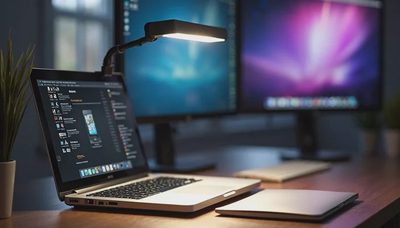
Buy This: One 27-Inch 4K Monitor with USB-C

Dell UltraSharp U2723QE, $450. Or the Dell S2722QC at $300 if the budget is tight.
One monitor. Not two. Not three.
The U2723QE has USB-C with 90W power delivery, which means one cable to your laptop for video, data, and charging. It has an Ethernet port for when Wi-Fi is bad. It has a KVM switch, which means you can share the monitor, keyboard, and mouse between a work laptop and a personal laptop without unplugging anything.
If that's too expensive, the S2722QC is 4K, 27 inches, and has 65W USB-C power delivery. It's the best budget monitor for hybrid work.
What to skip: 1080p monitors. Text looks fuzzy and you'll regret it in a week. Ultrawide monitors—they're great for some workflows and terrible for others, and you don't know which one you are yet. Two monitors—one 27-inch screen plus your laptop screen is enough for almost everyone.
Buy This: One 65W GaN Charger
Anker 523, $40.
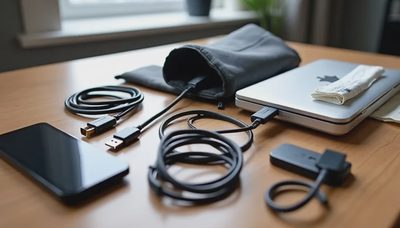
One charger for the laptop, the phone, and the earbuds. It's the size of a deck of cards. It has two USB-C ports. It replaces the brick that came with your laptop.
What to skip: A second charger. If you want one for the office, buy two Anker 523s and leave one at each location. Don't carry two. A 100W charger—you don't need it unless you have a 16-inch laptop. Wireless charging pads—slower, less efficient, and they need a cable anyway.
Buy This: A 10,000mAh Battery Pack with Built-In Cable
Anker 633, $50.
The built-in cable is the point. Your phone is at 8%, you're on a train platform, and you don't want to dig through your bag. Flip out the cable, plug in, done.
10,000mAh is about two phone charges or one phone charge plus a partial laptop charge. That's enough.
What to skip: Battery packs without built-in cables. You'll lose the cable or forget it. Battery packs under 10,000mAh—one phone charge isn't enough for a workday.
Buy This: A Boom-Mic Headset
Logitech Zone Wireless 2, $250. Or the Jabra Evolve2 65, $250.
This is the purchase first-time hybrid workers resist the most, and the one that matters most.
If you take calls from home while your partner is in the next room, or from a café, the microphone on your earbuds will pick up everything behind you. The person on the call hears the espresso machine, the conversation at the next table, the dog. They don't hear you clearly.
A boom mic sits near your mouth and rejects everything else. It looks less cool than AirPods. It sounds ten times better.
What to skip: Earbuds as your only call audio. They're fine for focus work. They're bad for calls in shared spaces. A dedicated microphone—a boom arm and a condenser mic is a podcast setup, not a hybrid work setup. You don't need it unless you're recording.
Buy This: A Bag with a Suspended Laptop Sleeve
Aer City Pack Pro, $199. Or the Osprey Arcane Large Day, $120, if the budget is tight.
The two things that matter: a laptop sleeve that's suspended off the bottom of the bag, and a flat profile that doesn't stick out more than six inches from your back.
The suspended sleeve protects your laptop from drops. The flat profile means you don't bump people on a crowded train.
What to skip: Bags with too many compartments—you'll fill them with junk. Bags with no laptop sleeve—your laptop will get scratched. Rolling bags—they're for airports, not commutes.
Skip This Entirely (For Now)
A portable monitor. You don't need it. It's dim, it takes up table space, and the setup tax is seven minutes per session. Use your laptop screen. If you travel for work and do real work in hotel rooms, revisit this in six months.
A second monitor. One is enough until you know your workflow. If you're constantly feeling cramped after three months, buy a second one then.
A mechanical keyboard. It's loud, it's heavy, and your coworkers will hear you typing. The laptop keyboard is fine.
A webcam. Your laptop has one. It's probably 1080p. Unless you're on video calls six hours a day and your laptop's webcam is genuinely bad, skip it. If you do need one, the Logitech Brio 500 is $130.
A desk pad. It's a mousepad with delusions of grandeur. Your mouse works on the desk.
A standing desk. You won't stand. If you do stand, you'll stand for a week and then lower it. Wait until you've worked hybrid for six months and know you want one.
A dock. Your monitor has USB-C with power delivery. That's your dock. You don't need a $300 Thunderbolt station until you have peripherals that require it.
Anything with RGB. You're an adult with a job. Stop.

No letters yet — be the first guest to write.