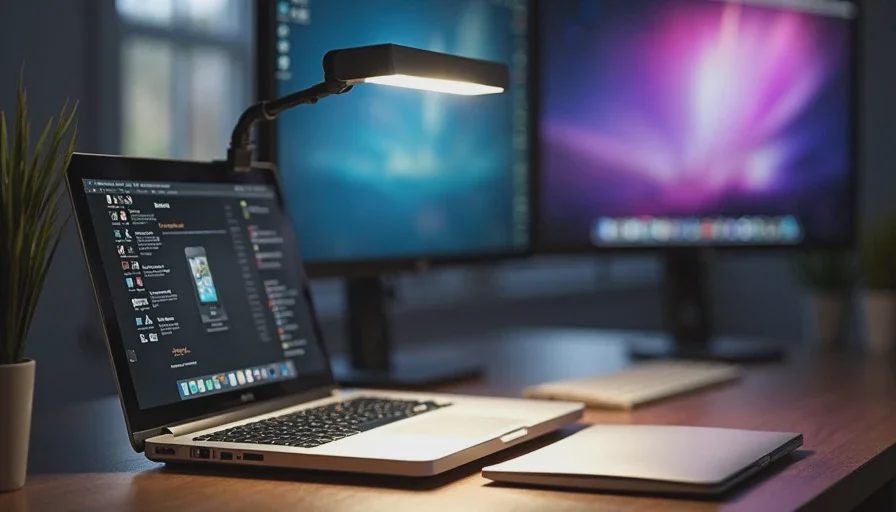
Here's the short answer: a monitor light bar on top of your screen, plus one small LED panel behind your laptop aimed at your face. That's it. Two lights, about $170 total, and you'll look like a person instead of a silhouette. Skip the ring light. Skip the softbox. Skip the overhead ceiling light, which is the single worst thing you can use for video calls.
Now let me explain why, because lighting is the most ignored part of a home office setup and the one that makes the biggest visible difference on a call.
Why Your Ceiling Light Is Ruining Your Calls
If you take a video call in a dark room with the ceiling light on, here's what happens: the light comes from above, casts shadows under your eyes, your nose, and your chin. You look tired. You look like you're being interrogated. You look like you haven't slept.
This is not a camera problem. It's a physics problem. Light from above creates downward shadows. Light from the front fills them in.
The fix is to stop relying on the ceiling. You need light in front of you, at roughly face level, angled slightly down. That's how every professional video setup works, and it costs less than you think.
The Two-Light Setup
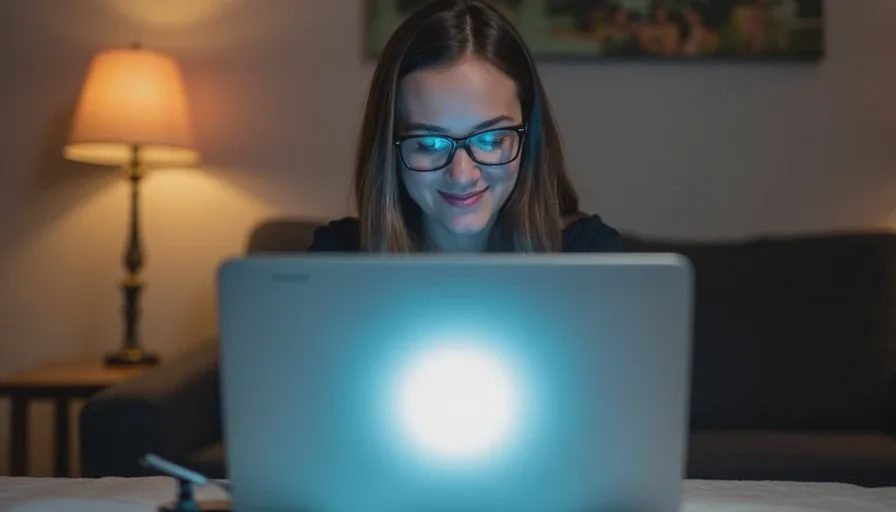
Here's the setup I use and recommend.
Light One: A Monitor Light Bar
BenQ ScreenBar, $109. Or the Xiaomi Mi Computer Monitor Light Bar, $50, if the budget is tight.
This clips to the top of your monitor and lights your desk without lighting your screen. It's the single best desk lighting purchase you can make, regardless of video calls.
Why it matters for calls: it lights your face from the front, at a natural angle, without creating glare on your screen. It also lights your keyboard and notebook, so you can actually see what you're doing during a dark morning session.
The BenQ ScreenBar has adjustable color temperature—warm for evening, cool for morning. It has auto-dimming, which adjusts to the room. It's USB-powered, so it plugs into your monitor or a USB port. It takes up zero desk space.
The Xiaomi version does 80% of the same job for half the price. It's slightly less refined, the color temperature adjustment is less granular, and the clip is less sturdy. But it works.
What to look for: Adjustable color temperature, USB power, and a clip that fits your monitor's thickness. Most monitors are 1 to 2 inches thick. Check before you buy.
Light Two: A Small LED Panel
Logitech Litra Glow, $60. Or the Elgato Key Light Air, $130, if you want something more adjustable.
This is the light that actually makes you look good on camera. It sits behind your laptop, angled at your face, and fills in the shadows that the ScreenBar doesn't reach.
The Litra Glow is the one I recommend most. It's small—about the size of a phone—and it has a built-in diffuser that makes the light soft instead of harsh. It has adjustable brightness and color temperature. It mounts on a small stand or clips to your monitor. It plugs into USB.
The Key Light Air is bigger and brighter, with a more adjustable stand and better build quality. It's the better light if you're on video calls four hours a day. For most people, the Litra Glow is enough.
What to look for: A diffuser (so the light is soft, not a harsh point source), adjustable brightness, adjustable color temperature, and a mount that doesn't require drilling.
Where to Put the Lights
Placement matters more than the products.
The ScreenBar: clipped to the top of your monitor, angled slightly down toward your desk. Not angled up toward your face—that creates glare. The point is to light the desk, and the spill light will reach your face naturally.
The LED panel: behind your laptop, slightly to one side, at about eye level or slightly above. Aim it at your face, not at the camera. If it's directly behind the camera, it flattens your face and looks unnatural. If it's too far to the side, it creates a shadow on one side of your face. The sweet spot is about 30 degrees off-center.
If you wear glasses, angle the panel slightly down so it doesn't reflect in your lenses. This is the single most common mistake people make with video lighting.
Color Temperature: What to Use When
Color temperature is measured in Kelvin. Lower numbers are warmer (more orange), higher numbers are cooler (more blue).
2700K–3000K: Warm, cozy, evening. Good for winding down. Bad for morning calls—you'll look orange.
4000K–4500K: Neutral, natural. This is the sweet spot for most video calls. It looks like daylight without being harsh.
5000K–6500K: Cool, bright, morning. Good for early calls when you want to look awake. Can look clinical if you go too high.
For a before-sunrise call, I use 4500K on both lights. It's neutral enough to look natural, cool enough to counteract the warm glow of a room that hasn't seen daylight yet.
If you're not sure, start at 4500K and adjust. You'll know within one call if it's too warm or too cool.
What About a Ring Light?
Skip it.
Ring lights are designed for makeup tutorials and streaming. They create a flat, even light with a distinctive circular catchlight in your eyes. For a professional video call, they look artificial. They're also bulky, they require their own stand, and they take up desk space you don't have.
The two-light setup I described above looks more natural and takes up less space.
What About a Softbox?
Skip that too.
A softbox is a large diffuser that creates very soft, even light. It's what professional photographers use. It's also two feet wide, requires a stand, and costs $100–$300. For a video call where your face occupies 20% of the frame, it's overkill.
The Litra Glow is essentially a tiny softbox. It does the same thing at 1/10th the size.
The Ceiling Light Problem, Revisited
If you must use the ceiling light—because it's the only light in the room, or because your partner is reading and needs it—here's how to minimize the damage:
Angle your face slightly upward. Not enough to look weird, just enough that the light hits your forehead instead of the top of your head. This reduces the shadows under your eyes.
Raise your laptop or monitor. If the camera is at eye level instead of below your chin, the ceiling light creates fewer shadows. A laptop stand helps.
Use the ScreenBar and the LED panel anyway. They'll fill in most of the shadows. The ceiling light becomes a background fill instead of the primary source.
Consider a floor lamp with a shade. A floor lamp behind your desk, with the shade angled toward the wall, bounces soft light back onto your face without the harsh downward shadows of a ceiling fixture. The Govee Floor Lamp ($70) or the Philips Hue Signe ($180) both work for this.
What I Don't Recommend
Ring lights. They look artificial and take up desk space.
Softboxes. Overkill for video calls, and they require a stand.
Ceiling lights as your primary source. They create shadows under your eyes and make you look tired.
Monitor light bars without color temperature adjustment. You'll want to change it between morning and evening. Fixed-temperature lights are a compromise.
Lights that require proprietary software. You want a physical dial or button, not an app that stops working after two years.
Lights without a diffuser. A bare LED is a harsh point source. It will look bad on camera and be uncomfortable to look at.
Buying three lights before you've tried two. Start with the ScreenBar. Add the panel if you need more fill. Don't buy a third light until you've used the first two for a month.

No letters yet — be the first guest to write.