Wireless earbuds are best bought as part of a daily setup, not as isolated little trophies for your desk drawer. The right pair should handle a train platform, a two-hour café session, a video call, and a quiet evening at home without demanding constant fiddling. Here is the short answer: spend $100 to $250 for the sensible middle ground, prioritize fit and microphone performance, and only pay more when you know which problem the upgrade solves.
Start with the life, then buy the gear. A commuter who listens to podcasts on an iPhone has different needs from someone jumping between a Windows laptop, Android phone, and conference calls all day. Premium wireless earbuds can sound excellent, but they do not fix a poor fit, a noisy café, or a laptop that keeps choosing the wrong microphone. The problem is usually the setup, not the product.
Choose the features that affect your actual day
Active noise cancellation is useful on trains, airplanes, and busy sidewalks, but it is not automatically better in every room. Strong cancellation can create an enclosed feeling, and transparency mode is often more valuable when ordering coffee or listening for a coworker. Look for a reliable ambient mode that lets outside sound in naturally rather than producing a robotic hiss.
Fit matters more than a long specification sheet. Silicone tips create a seal that improves bass and passive isolation, while open-fit designs feel less intrusive but let in more background sound. If your ears become sore after 30 minutes, impressive battery life is irrelevant. Most well-designed wireless earbuds include several tip sizes, so spend five minutes testing them instead of throwing the extras into a drawer.
For calls, microphone quality and wind handling deserve more attention than codec terminology. AirPods, Google Pixel Buds, Samsung Galaxy Buds, Sony, Jabra, and Anker Soundcore all offer models with different strengths, but the best choice depends heavily on your phone and computer. Multipoint Bluetooth is especially valuable if you move between a work laptop and personal phone without wanting to repair the connection every afternoon.

The best setup by working situation
For a train commute, choose wireless earbuds with dependable noise cancellation, physical or clearly defined touch controls, and at least six hours of listening per charge. A compact charging case should provide multiple top-ups. Sony's premium models are often strong for cancellation, while Bose is known for comfortable fit and effective noise reduction. Apple users generally get the smoothest device switching from AirPods, although that convenience is less compelling if your computer and phone come from different ecosystems.
For café work, do not chase maximum silence. You still need to hear a barista, a chair scraping behind you, or someone asking whether the outlet is free. A comfortable transparency mode, stable connection, and good call quality matter more than another small improvement in bass. Wireless earbuds with a case that charges by USB-C fit neatly beside a laptop charger and avoid adding another proprietary cable to your bag.
At home, the decision changes again. You may prefer lighter earbuds with modest cancellation because you are listening while cooking, folding laundry, or moving between rooms. If you share an apartment, earbuds provide privacy without filling the room with your meeting audio. For long meetings, however, an over-ear headset can remain more comfortable and provide a stronger microphone. This is good, but not magic: tiny batteries and tiny microphones have limits.
How much should you spend?
The $40 to $80 category can work for casual listening, especially from brands such as Soundcore or JLab, but quality control, call performance, and noise cancellation vary more. These wireless earbuds make sense as a backup pair for a gym bag or travel pouch, not necessarily as your only work audio.
Between $100 and $180 is the practical sweet spot. You can find solid battery life, effective transparency modes, comfortable designs, and multipoint on selected models. This range is where I would start most shoppers because the improvements over bargain products are noticeable without turning the purchase into a tiny luxury-car payment.
At $200 to $300, you are paying for refinement: better cancellation, stronger microphones, premium materials, spatial audio, ecosystem integration, or a more polished app. Apple AirPods Pro, Bose QuietComfort Ultra Earbuds, Sony WF-1000XM5, and Samsung Galaxy Buds3 Pro sit around this conversation depending on sales and configuration. You do not need the expensive version unless you commute frequently, take many calls, or already value the ecosystem feature.
Avoid the common buying mistakes
The first mistake is treating battery claims as a personal prediction. A listing might promise eight hours, but that figure can change with noise cancellation, call use, volume, and temperature. For a normal workday, six reliable hours plus a case is usually more useful than a headline number you only reach under ideal conditions.
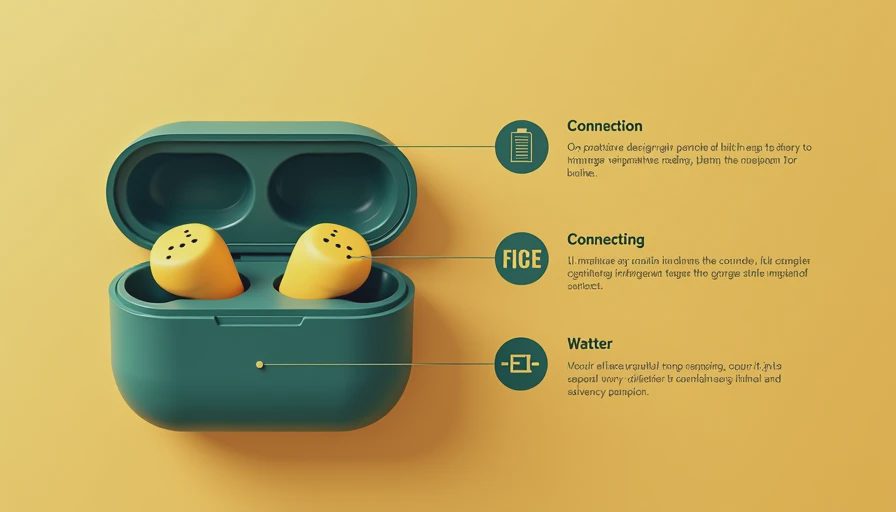
The second is ignoring the charging case. Check whether it supports USB-C, wireless charging, and a battery indicator you can understand at a glance. A case that stays in your bag should not be so bulky that it competes with your wallet. Also check replacement costs before buying; losing one tiny earbud can turn a $150 purchase into an irritating repair decision.
The third mistake is buying for an ecosystem you do not actually use. AirPods work with non-Apple devices, and Galaxy Buds can connect beyond Samsung phones, but some switching, customization, and spatial features are platform-specific. If your work computer runs Windows and your phone is an iPhone, test the everyday handoff before assuming the marketing makes it effortless.
Build a low-friction audio kit
Keep the earbuds in one consistent pocket of your bag, preferably beside a short USB-C cable or your everyday charger. That simple habit prevents the familiar morning search through coat pockets. Add a wired backup for flights, an old laptop, or a meeting where Bluetooth decides to become philosophical. A $15 adapter or compact wired pair can save a surprising amount of stress.
For café sessions, pack a small case of foam or spare silicone tips if you are still finding the right fit. For commuting, turn on transparency before entering a station or crossing a street. Noise cancellation is an audio feature, not a substitute for awareness. At your desk, keep a separate headset or microphone available if you lead frequent calls; wireless earbuds are convenient, but a dedicated microphone can sound more natural and reduce battery anxiety.
Before buying, write down your top two situations: perhaps train commuting and laptop calls. Then compare fit, microphone tests, switching behavior, and return policy in that order. Read enough real-world feedback to identify repeated complaints, not one dramatic review from somebody who expected studio headphones in a matchbox.
The simple buying recommendation
Most hybrid workers should start with wireless earbuds in the $100 to $200 range, a comfortable sealed fit, USB-C charging, dependable transparency, and multipoint if their devices support it. Apple users who switch between an iPhone and Mac should look closely at AirPods Pro. Android users should compare Google Pixel Buds, Samsung Galaxy Buds, Sony, and Soundcore according to phone compatibility and call needs. Bose is worth considering when comfort and noise reduction lead the list.
Buy the premium model when you will use its specific advantages several times a week. Skip it when you mainly want background music at home. Wireless earbuds should remove friction from your commute and workday, not create a new hobby involving battery percentages, app permissions, and mysterious connection menus. A good pair disappears into the routine. That is the point.



No letters yet — be the first guest to write.