
Here's the short answer: upgrade the things you touch every day and the things that fail. Skip the things that are already good enough at the budget price. Your mouse, your keyboard, your charger, and your bag are worth spending on. Your monitor, your cables, and your webcam are not—not unless you have a specific reason. Everything else is a judgment call.
Now let me explain, because "premium" is a marketing word and "practical" is a real one.
The Difference Between Premium and Practical
Premium means the product has features you might not need, in a build quality that feels nicer, at a price that's often double or triple the budget option.
Practical means the product does the job you need it to do, reliably, without making you think about it.
The best upgrades are the ones where premium and practical overlap. The worst upgrades are the ones where you pay for premium and get features that don't change your day.
Let me go through the categories.
Upgrading Your Mouse: Worth It

Budget: $25. Premium: $80–$120.
This is one of the clearest upgrades in the entire category.
A $25 mouse works. It moves the cursor. It clicks. And that's about all you can say for it. The sensor is imprecise. The scroll wheel is mushy. The build feels hollow. After six months of daily use, the buttons start to stick.
A Logitech MX Anywhere 3S at $80 changes the experience. It tracks on glass, so it works on café tables and train trays. It has multi-device switching, so you can move between your laptop and your desktop with one button. The scroll wheel is precise enough for spreadsheets. The battery lasts 70 days.
What do real users say? One review put it simply: "Yes it was expensive, but wow! Definitely a step up from any other mouse I have had... I can't see me ever going back to using a cheap mouse again."
The rule: If you use a mouse for more than two hours a day, upgrade. If you only use it occasionally, the budget option is fine.
What to skip: The $120+ "pro" mice with 25,000 DPI sensors and RGB lighting. You don't need that. You need a sensor that works on the surfaces you actually use.
Upgrading Your Keyboard: Worth It
Budget: $30. Premium: $100–$150.
A budget membrane keyboard works. It types. It has letters. And after a few hours of typing, your fingers feel like you've been pressing into wet cardboard.
A mechanical keyboard—even an entry-level one like the Keychron V5 at $100—offers a fundamentally different typing experience. The keys have a precise actuation point. You don't have to bottom out every keystroke. The feedback makes you a faster, more accurate typist.
Here's what you're paying for, according to a comparison of cheap and expensive keyboards: "swappable keycaps, a [keyboard keycap upgrade] that allows more customization for your device," and "smoother keypresses" that "deliver a better experience".
The other thing you're paying for: durability. Budget keyboards use thin ABS plastic keycaps that "are prone to wear due to oil from fingers or dust, even with regular use." The textured keys start to feel smooth, and the printed lettering wears off. A premium keyboard with PBT keycaps will still feel and look new after two years.
The rule: If you type for a living, upgrade. A $100 mechanical keyboard is a $100 investment in every hour you spend at your desk.
What to skip: The $200+ custom mechanical keyboards with exotic switches and aluminum cases. They're nice. They're not $200 nicer for work.
Upgrading Your Charger: Worth It (But Not by Much)
Budget: $15. Premium: $25–$40.
This is a smaller upgrade than most people think. A cheap 65W charger and an Anker 523 47W charger both charge your phone. The difference is in size, heat, and reliability.
The Anker 523 is 81 grams and 1.36 × 1.36 × 2.05 inches. It uses GaN technology, which means it runs cooler and takes up less space than a traditional charger. It has two USB-C ports, so you can charge your laptop and phone at the same time.
The dual-port behavior matters: when both ports are in use, you get 27W on one and 20W on the other, for a total of 47W. That's enough for a phone and a tablet. It's not enough for a laptop and a tablet at full speed simultaneously.
The Anker 523 costs about $26, often on sale for $20. That's a $10–$15 premium over a generic charger. For that, you get a smaller size, less heat, and a brand that won't fail on you in a year.
The rule: Upgrade from the no-name charger to the Anker 523. Stop there. You don't need the $70 100W charger unless you have a 16-inch laptop.
What to skip: The 140W four-port GaN chargers with LED displays. They're impressive engineering. They're also overkill for a laptop, a phone, and earbuds.
Upgrading Your Bag: Worth It
Budget: $60. Premium: $200.
This is one of the most important upgrades, and the one people resist the most.
A $60 backpack carries your stuff. It has a laptop sleeve. It has a zipper. And after six months of daily commuting, the zipper starts to stick, the strap padding compresses, and the laptop sleeve has a hole in the bottom from where you set it down too hard.
A premium bag like the Aer City Pack Pro at $199 or the Bellroy Transit Backpack at $229 solves problems you don't know you have until you've used a cheap bag.
Here's the technical difference, from a buying guide: "Premium bags use 15–20mm padding with corner reinforcement plates... Budget bags pad the back and bottom only". That corner reinforcement is what protects your laptop when you set the bag down on a train platform.
Premium bags also publish exact internal dimensions. Budget bags rarely do. That means you can buy a premium bag knowing your laptop will fit. With a budget bag, you're guessing.
The rule: If you commute every day, upgrade. The bag is the thing that carries everything else. If it fails, everything else is at risk.
What to skip: The $400+ designer bags. They're beautiful. They don't carry your laptop any better than the $200 options.
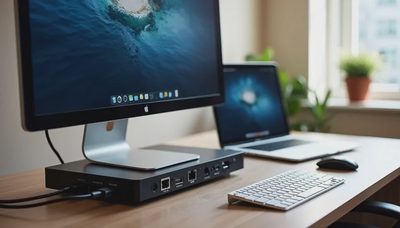
Upgrading Your Monitor: It Depends

Budget: $150. Premium: $450.
This is where it gets complicated.
A budget 27-inch 1080p monitor at $150 handles documents, email, and web browsing. If that's all you do, the budget monitor is genuinely fine.
An expensive monitor at $450 buys you higher resolution (4K instead of 1080p), faster refresh rates (120Hz instead of 60Hz), better color accuracy, and USB-C docking. The USB-C docking is the feature that matters most for hybrid work: one cable carries video, data, and power to your laptop.
But here's the thing: if you have a budget monitor and a separate charger, you're not missing anything essential. You're just dealing with one extra cable.
The rule: Upgrade if you have the budget and you look at your screen for eight hours a day. The text is noticeably sharper on 4K at 27 inches. If you don't have the budget, the budget monitor is fine.
What to skip: The 5K and 6K monitors at $1,500+. They're for professional photo and video editors. They're not for spreadsheets and email.
Upgrading Your Headphones: Worth It for Calls, Not for Music
Budget: $80. Premium: $250–$300.
This is two different upgrades wearing the same category name.
For focus work—blocking out the café, the office, the HVAC—a budget pair of noise-canceling earbuds like the Anker Soundcore Space A40 at $80 does about 70% of what a $299 pair does. The physics of noise canceling is the same at every price point. The $299 pair cancels a little more of the low-frequency hum. That's it.
For calls, the upgrade is different. A premium boom-mic headset like the Logitech Zone Wireless 2 at $250 isn't about noise canceling for you. It's about the microphone for everyone else. The boom mic sits near your mouth and rejects everything behind it. The person on the call hears you instead of the espresso machine.
The rule: If you work from cafés and shared spaces, upgrade the headset. The microphone matters more than the noise canceling. If you work alone, the budget earbuds are fine.
What to skip: Audiophile headphones. You're on a work call, not mastering an album.
Upgrading Your Cables: Not Worth It
Budget: $5. Premium: $15.
Here's the one category where the premium version is a waste of money.
A USB-C cable is a USB-C cable. The $5 cable and the $15 cable both carry power and data. The $15 cable might have a nicer braided jacket and a more durable connector. But the $5 cable from a reputable brand (Anker, Belkin, Cable Matters) will last just as long in a bag.
The one thing that matters: power delivery rating. If you need 100W charging, make sure the cable is rated for 100W. That's a spec, not a premium feature.
The rule: Buy cables from reputable brands. Don't buy the cheapest gas station cable. Don't buy the $25 "premium" cable. $8–$10 is the sweet spot.
What to skip: The $30 cables with LED displays showing charging wattage. It's a fun gimmick. It doesn't charge your laptop any faster.
Upgrading Your Webcam: Only If Your Laptop's Is Bad
Budget: $0 (use your laptop's). Premium: $130.
Your laptop has a webcam. It's probably 1080p. It's probably fine.
The Logitech Brio 500 at $130 is better. It has better low-light performance, better auto-framing, and a better microphone. If you're on video calls four hours a day and your laptop's webcam makes you look like you're calling from a cave, upgrade.
If you're on video calls once a day, the laptop webcam is fine.
The rule: Don't upgrade until you've tried your laptop's webcam for a month. Most people don't need to.
What to skip: The $200+ 4K webcams. Video calls are compressed to 720p or 1080p by the platform anyway. The 4K resolution is wasted.
The Upgrade Priority List
If you have $500 to spend on upgrades, here's the order:
Bag ($200). It carries everything else.
Mouse ($80). You use it every day.
Keyboard ($100). You use it every day.
Headset for calls ($250). If you take calls in shared spaces.
Monitor ($450). Only if you have a specific reason.
Charger ($40). Only if you're replacing a no-name charger.
Webcam ($130). Only if your laptop's is genuinely bad.
Cables ($10 each). Only if you need a specific rating.
The first four are worth it. The last four are judgment calls.


No letters yet — be the first guest to write.