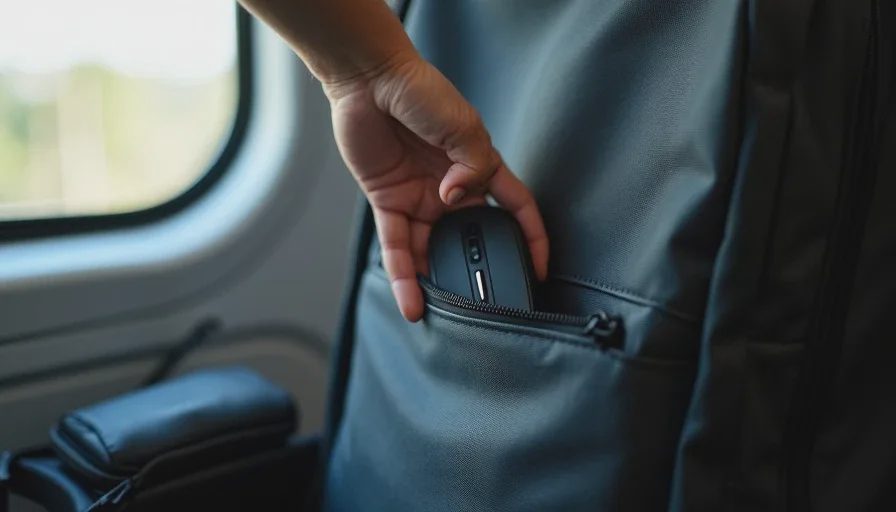
Here's the short answer: if you switch between three or more surfaces a week—office desk, café table, train tray, kitchen counter—the mouse you want is the Logitech MX Anywhere 3S ($80). It tracks on glass, it's small enough to disappear into a bag, and it holds three device connections with a button press. If you only care about fitting into a pocket, the Logitech Mobi Fold ($80) is the new folding option and it's genuinely clever. If you're on a budget, the Logitech Pebble Mouse 2 M350s ($30) does 80% of the job for a third of the price.
Now let me explain why, and why the "best mouse" lists you've read don't answer the question you're actually asking.
The Problem With Every "Best Mouse" List
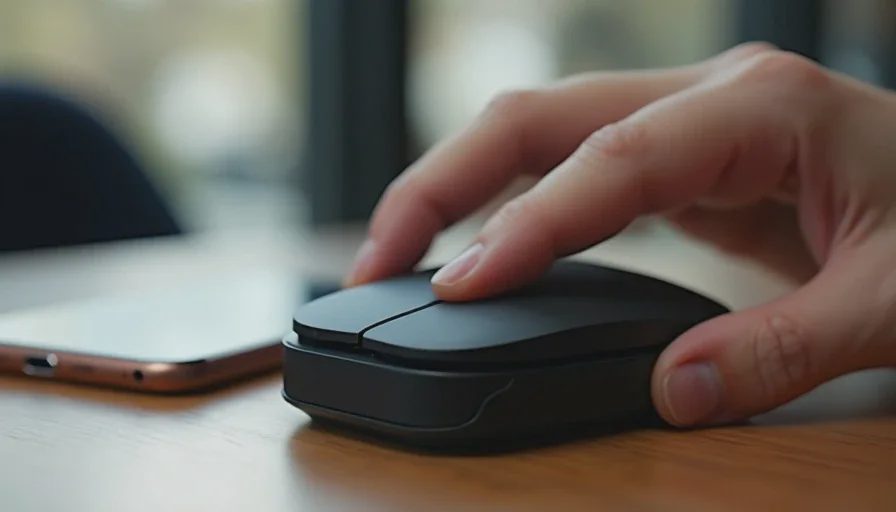
Every mouse roundup ranks the same two or three flagship models at the top. The top spot usually goes to the Logitech MX Master 4, and that's a fair call—it's a refined, feature-packed mouse. But the MX Master 4 weighs 141 grams and measures 124.9 × 84.3 × 51mm. That's a desk mouse. It's not going in a bag every day, and it's not sitting on a café table without taking up half the space.
The question "what's the best mouse?" has a different answer depending on whether the mouse stays on one desk or moves between five.
I spent years watching people buy the wrong mouse for their actual life. They'd get the biggest, most ergonomic thing on the shelf, and then leave it at home because it didn't fit in the laptop bag. Or they'd get a tiny travel mouse and hate using it at their desk all day.
The right mouse for someone who switches desks constantly has to solve three problems: switching between devices without re-pairing, tracking on whatever surface is available, and fitting into a bag you actually carry.
What Matters Most When You Switch Desks Constantly
Multi-device switching. You want a mouse that remembers three devices and switches between them with one button. Not "you can re-pair in settings." One button, one second.
Surface tracking. Café tables are often glass or polished wood. Train tray tables are plastic. Your kitchen counter is laminate. A mouse with a standard optical sensor will stutter on half of those. You need a sensor rated for glass.
Size and weight. Under 100 grams, under 4.5 inches long. If it doesn't fit in a front pocket or a small pouch, you'll leave it behind.
Quiet clicks. You're using this in shared spaces—cafés, trains, open offices. A loud mouse is a rude mouse.
Battery life. You don't want to think about charging. Two months is the floor. Three months is better.
The Best Overall: Logitech MX Anywhere 3S ($80)
This is the mouse I've carried for two years and the one I recommend most.
Why it's the right answer:
It's 99 grams and measures 100.5 × 65 × 34.4mm. That's small enough to slide into a front pocket of a backpack or the side pocket of a tech pouch. It's not a "travel mouse" in the flimsy sense—it has six programmable buttons, a MagSpeed scroll wheel that can scroll 1,000 lines per second, and an 8,000 DPI sensor.
The sensor tracks on glass. I've used it on café tables, train tray tables, a hotel nightstand, and the back of a notebook. It works on all of them.
Multi-device switching is handled with a button on the bottom that cycles through three paired devices. Bluetooth, no dongle required. It connects to Windows, macOS, ChromeOS, and Linux, and it remembers all three connections without re-pairing.
Battery life is 70 days on a full charge, and a one-minute charge gives you three hours. It charges via USB-C and you can use it while charging—which sounds minor until you own a mouse that can't.
The clicks are quiet. Not silent, but quiet enough that nobody at the next table notices. The scroll wheel has a smooth, precise feel. The rubberized sides make it comfortable to hold for long sessions.
The tradeoff: It's small. If you have large hands, it might feel cramped for all-day desk use. If you're mostly at one desk, the MX Master 4 is the better mouse. If you're moving between surfaces, the Anywhere 3S is the better choice.
Who it's for: The hybrid worker who splits time between office, home, and café, and wants one mouse that works everywhere without thinking about it.
The Best for Pure Portability: Logitech Mobi Fold ($80)
This launched in June 2026 and it's the first genuinely interesting travel mouse in years.
Why it exists: Logitech's research found that most professionals own a mouse, but only a small fraction regularly use one when working in public spaces. The reason is simple: carrying a mouse is annoying. It takes up bag space. It gets lost. It's one more thing to remember.
The Mobi Fold solves that by folding in half. Closed, it's a 2.2 × 2.5 inch rectangle less than an inch thick, weighing about 2.8 ounces. It slides into a pants pocket. It disappears into the smallest bag compartment.
Open, it arches into a tent shape with a mechanical hinge that locks into place. The hinge is rated for 15 years of daily use. It has standard left and right clicks, plus a touch-sensitive scroll surface in the middle. It powers on when you unfold it and powers off when you fold it, so you never forget to turn it off.
It connects via Bluetooth to three devices with a switching button on the underside. It has a 4,000 DPI sensor that I tested on a mousepad, an uneven wooden desk, and glass—all fine. Battery is 30 days on a charge, with 22 hours from a one-minute top-up.
The tradeoff: It's not as comfortable as the MX Anywhere 3S. Because there's a gap in the middle, there isn't really anywhere to rest your thumb or ring and pinky fingers. It's also not as fast for precision work—the touch scroll surface takes adjustment.
Who it's for: The person who wants a mouse in their bag at all times but refuses to carry something that takes up space. If you're already carrying the MX Anywhere 3S and you're happy, you don't need this. If you've been leaving your mouse at home because it's annoying to pack, this solves that problem completely.
The Best Budget Option: Logitech Pebble Mouse 2 M350s ($30)

This is the mouse I recommend when someone says "I don't want to spend $80 on a mouse."
It's slim, lightweight, and designed for portability. It has quiet clicks, a customizable button, and Easy-Switch for three devices across Windows, macOS, iPadOS, Android, and ChromeOS. Most buyers pick it specifically for switching between a MacBook and a work laptop, or between multiple machines.
It runs on a AA battery that lasts about two years. It's not as precise as the MX Anywhere 3S, and it doesn't track on glass. It's a standard optical sensor on standard surfaces.
The tradeoff: The build quality is noticeably cheaper. Some units have Bluetooth pairing quirks. It's a $30 mouse, not an $80 mouse, and it feels like one.
Who it's for: The person who needs multi-device switching and portability but doesn't want to spend more than $30. It does the job. It just doesn't do it with the same confidence as the Anywhere 3S.
What About the Rapoo Multi-Device Mice?
Rapoo makes a line of multi-device mice—the MT760, MT760L, MT760 Pro—that undercut Logitech on price while offering more device connections. The MT760L supports four devices and has a side scroll wheel. The MT760 Pro supports 12,000 DPI and 120 days of battery life, and works on Mac without any software installation.
Why I don't recommend them as the default: The software is less polished. The build quality is inconsistent. The sensor isn't rated for glass. And user experiences are mixed in a way that Logitech's aren't. If you want to save $20–$30 and you're willing to deal with occasional quirks, they're worth a look. If you want the mouse to just work, stick with Logitech.
What I Don't Recommend
The MX Master 4 as a carry mouse. It's the best desk mouse on the market. It's also 141 grams and 5 inches long. It stays on the desk.
A "travel mouse" under $20. The sensor is bad, the build is flimsy, and the Bluetooth drops. You'll replace it in six months.
A mouse that requires a dongle. Bluetooth multi-device switching is the whole point. A dongle is one more thing to lose.
A mouse without a glass-rated sensor. You'll hit a café table that doesn't work, and you'll be annoyed every time.
Buying for DPI. 8,000 DPI is more than you'll ever use. Sensor surface compatibility matters more than sensor resolution.
Ignoring the size. If you have large hands and you buy the Anywhere 3S, you'll like it for travel and hate it for all-day desk work. Buy for your primary use case, not your occasional one.
The Bottom Line
If you switch desks constantly, the mouse you want is the one that doesn't make you think: it connects to whatever you're using, it works on whatever surface you're on, and it fits in whatever bag you're carrying.
The MX Anywhere 3S ($80) is the best all-around answer. The Mobi Fold ($80) is the best if pocketability is the priority. The Pebble Mouse 2 M350s ($30) is the best if budget is the priority.
Everything else is a desk mouse pretending to be a travel mouse, or a travel mouse pretending to be a desk mouse.
Start with the life, then buy the gear.
No letters yet — be the first guest to write.