Here’s the short answer: the best headphones are the ones that fit your actual workday, not the ones with the longest specification sheet. A commuter needs strong noise cancellation and a compact case. A café worker needs clear calls, comfortable padding, and enough battery for a long session. Someone working beside a spouse may need excellent sound at a moderate volume more than stadium-level bass.
Start with the life, then buy the gear. For most hybrid workers, the Sony WH-1000XM5, Bose QuietComfort Ultra, and Sennheiser Momentum 4 Wireless are the serious over-ear options. The Soundcore Space Q45 is the value pick, while Apple AirPods Pro 2 make more sense when a small pocketable setup matters most. None is perfect, and spending another $150 does not automatically improve your Tuesday.
What makes the best headphones for hybrid work
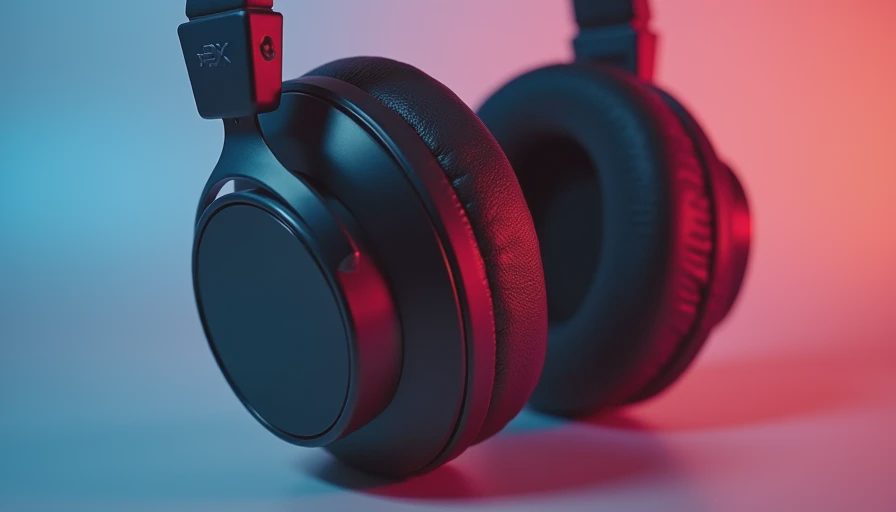
The first decision is form factor. Over-ear headphones usually provide better passive isolation, larger ear cups, and longer battery life. They are comfortable for a train ride or a full afternoon at a desk, but they take up more room in a bag and can feel warm after several hours. Noise-canceling earbuds disappear into a pocket and work well for short calls, walking, and quick transitions, though their battery and microphone performance vary more.
Active noise cancellation is useful for steady sounds such as train rumble, HVAC fans, and airplane engines. It is less impressive with nearby voices, clattering dishes, or someone asking whether you have seen the good scissors. That is why fit still matters. A loose seal undermines earbuds, while poorly shaped ear cups can make premium over-ear headphones uncomfortable before lunch.
For work, pay attention to multipoint Bluetooth. It lets headphones connect to a laptop and phone at the same time, so you can listen to music from a computer and answer a call without visiting the Bluetooth menu. A wired backup is also practical for flights, older laptops, or the day your battery indicator suddenly becomes an accusation.
Best headphones by real-life scenario
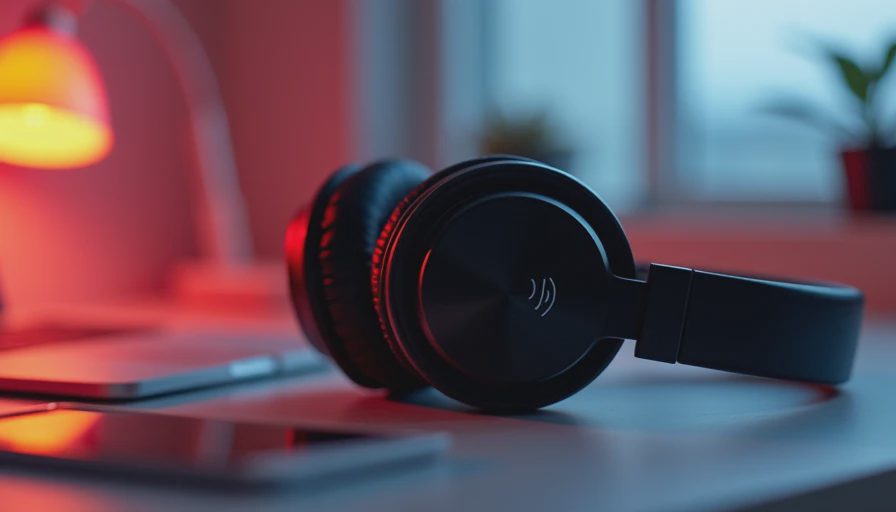
The Sony WH-1000XM5 remains one of the best headphones choices for a mixed commute and office routine. Its noise cancellation is strong, the sound is adjustable through Sony’s app, and the soft ear cups suit long listening sessions. The design is not especially compact because the hinges do not fold inward, and call quality can suffer in loud streets. Expect a premium price, often around $350, although sales regularly make it more approachable.
The Bose QuietComfort Ultra is the better pick when comfort and travel noise reduction are your priorities. Bose tends to make headphones that disappear on your head, which is a more useful luxury than a decorative case. The Ultra model adds premium processing and immersive listening features, but it is expensive and not necessary for everyone. If you mostly work in a quiet apartment, the standard QuietComfort can deliver the more sensible ownership experience.
For battery-focused buyers, the Sennheiser Momentum 4 Wireless is compelling. Its battery life is rated for roughly 60 hours, far beyond many premium competitors, and its sound has more energy than the neutral office stereotype. The tradeoff is a larger-looking design and noise cancellation that is good rather than class-leading. These are best headphones for someone who hates charging more than they care about having the strongest possible silence.
Best budget headphones without obvious compromises
The Soundcore Space Q45 is a strong value around the $150 range, especially during frequent retail discounts. It offers active noise cancellation, multipoint support, a comfortable fit, and an app with useful equalizer controls. The microphones are adequate for normal indoor calls but are not a substitute for a dedicated USB microphone. Sound quality is enjoyable, though buyers expecting the refinement of a $400 model will hear the difference.
Sony’s WH-CH720N is another practical lower-cost option. It is light, relatively comfortable, and easy to recommend for office listening when you do not need premium materials. Its noise cancellation and bass response are less substantial than the company’s flagship line, but the lower weight can matter more than luxury padding. The best headphones under $200 are often the pair you will actually wear for six hours without adjusting them every ten minutes.
At the earbud end, the Anker Soundcore Liberty 4 NC offers useful noise cancellation and long battery life for considerably less than flagship earbuds. AirPods Pro 2 remain the smoother choice for iPhone owners because pairing, device switching, and Find My integration are exceptionally convenient. Android users can still use them, but some ecosystem features will not be as seamless.
How to choose for calls, commuting, and shared rooms
Microphone quality deserves its own test. A headset can sound wonderful to you and make you sound like you are calling from inside a paper bag. Before keeping a pair, record a short voice memo beside a window, near a fan, and in a quiet room. Listen for clipped words, keyboard noise, and unnatural processing. This simple test reveals more than a product page’s microphone count.
For commuting, prioritize a stable fit, physical controls, transparency mode, and a case that fits your bag. Transparency mode lets you hear announcements or a coworker without removing the headphones. For café work, moderate clamp pressure and breathable pads matter because heat becomes irritating long before the music does. For a shared home office, look for clear voice pickup and a transparency mode that lets you remain socially functional.
Battery claims are measured under particular conditions, so treat them as planning guidance rather than a promise. A pair rated for 30 hours can last several workdays, but high-volume listening, frequent calls, and noise cancellation reduce that figure. USB-C charging is now the practical baseline. A quick-charge feature that gives several hours after a short top-up can rescue a forgotten morning.
A simple buying plan that avoids overspending
Set the scenario before comparing models. If you commute by train four days a week, put noise cancellation first. If you work mostly at home, spend less and prioritize comfort, multipoint, and call performance. If you carry a laptop, tablet, phone, and charger every day, earbuds might solve the space problem better than another large hard case.
Then set a ceiling. Around $100 to $160 can buy a capable daily headset. The $200 to $350 range adds better materials, stronger processing, and more polished microphones. Beyond that, you are paying for refinements, not a transformation. Sales are common on Sony, Bose, Sennheiser, Apple, and Soundcore products, so buying last year’s flagship at a discount is often smarter than chasing the newest release.
Finally, test comfort before judging sound. Wear the headphones for a full work block, switch between laptop and phone, make a call, and pack them into your normal bag. The best headphones should remove friction from your setup. If they create pressure points, connection problems, or a daily charging chore, impressive audio will not save the purchase.
The practical recommendation
For the broadest hybrid-work use, start with the Sony WH-1000XM5 if you want strong all-around performance and can find it below its launch price. Choose Bose QuietComfort Ultra when comfort and travel silence lead the list. Choose Sennheiser Momentum 4 Wireless when battery life and lively sound matter most. The Soundcore Space Q45 is the sensible value choice, and AirPods Pro 2 win for compact iPhone-centered carry.
The best headphones are not a trophy for your desk. They are a small piece of infrastructure: a way to make the train quieter, the café less distracting, and the home office less annoying to everyone nearby. Buy for the hours you will actually spend wearing them, and keep the saved money for the charger, cable, or coffee that completes the setup.



No letters yet — be the first guest to write.